
Employee and HR documents
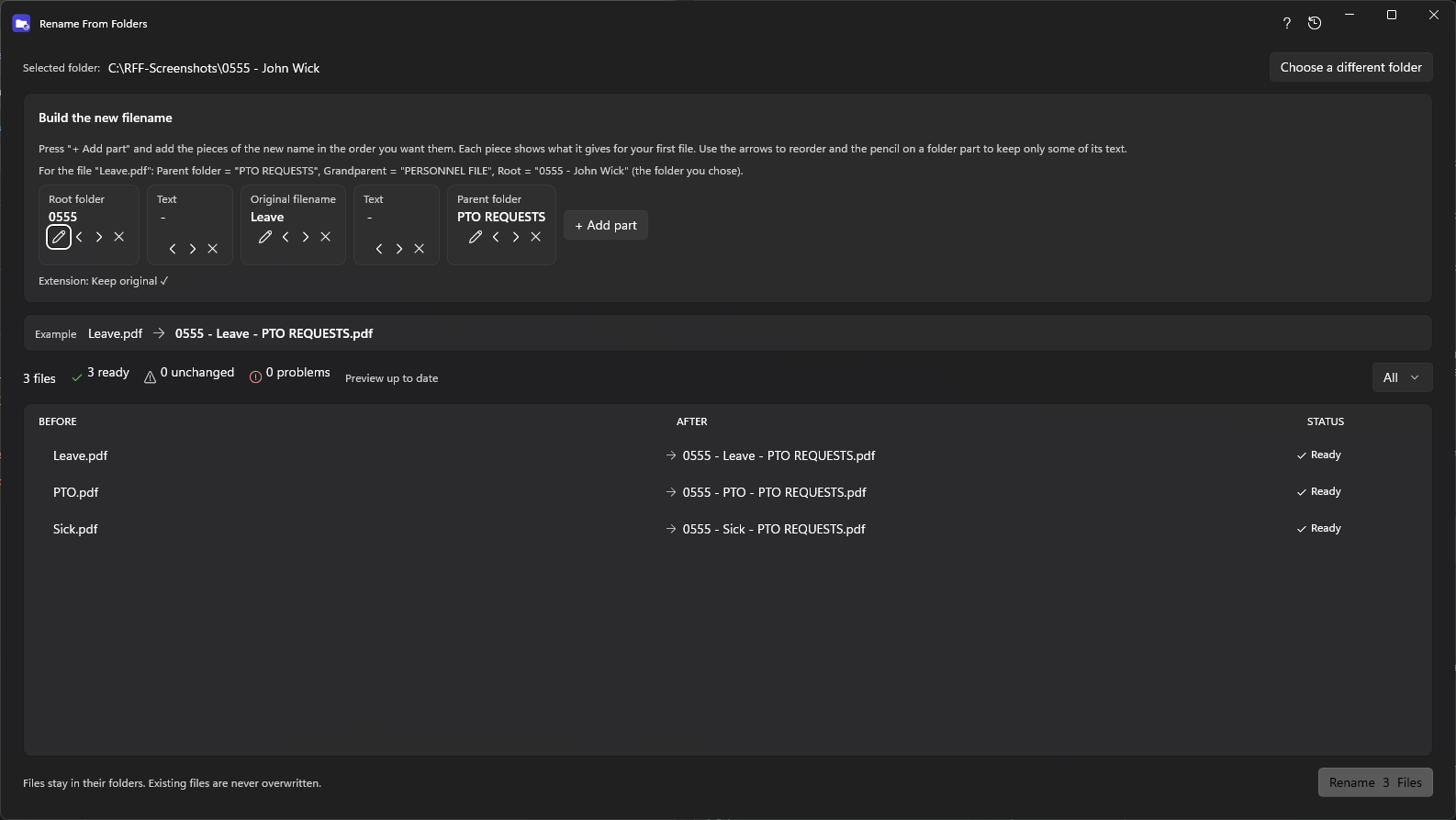
Put the employee number and folder name on every document in each person's folder.
Before: 0555 - John Wick\PERSONNEL FILE\PTO REQUESTS\PTO.pdf
After: 0555 - PTO - PTO REQUESTS.pdf
If the folder already says what the file is, RenameFromFolders can put that into the file name for you, across a whole tree.
Put the employee number and folder name on every document in each person's folder.
Before: 0555 - John Wick\PERSONNEL FILE\PTO REQUESTS\PTO.pdf
After: 0555 - PTO - PTO REQUESTS.pdf
Start every file with the client or project folder so search and sorting work.
Before: Acme\Contracts\agreement.docx
After: Acme - Contracts - agreement.docx
Give photos the event folder name so they stay identifiable once copied elsewhere.
Before: Italy 2026\Rome\IMG_0412.jpg
After: Italy 2026 - Rome - IMG_0412.jpg
Add supplier and month folders to scanned invoices before archiving.
Before: Suppliers\Contoso\2026-09\scan.pdf
After: Contoso - 2026-09 - scan.pdf
Keep the folder name and add a counter so files sort in order.
Before: Course\Week 3\notes.txt
After: Week 3 - 001.txt
Add the source folder to each file name so duplicates and origins are obvious.
Before: Downloads\Vendor A\report.pdf
After: Vendor A - report.pdf
People usually reach for a bulk renamer after the same problem repeats: a folder tree contains the useful label, but the file name loses it as soon as the file is copied, attached or exported. A good result needs more than a numbering trick.
See how these problems play out in real workflows or follow the step-by-step walkthrough.
Add the folder name before or after the original name, use the folder above it, keep only part of a folder name, and add dates or counters. The preview shows the exact result for every file first.
Free to look at, safe to try: you see every change before anything is renamed, and you can undo it.