
Undo a bulk rename safely
Renaming hundreds of files should not be a leap of faith. RenameFromFolders shows what will happen, refuses to overwrite, and can put names back with a report.
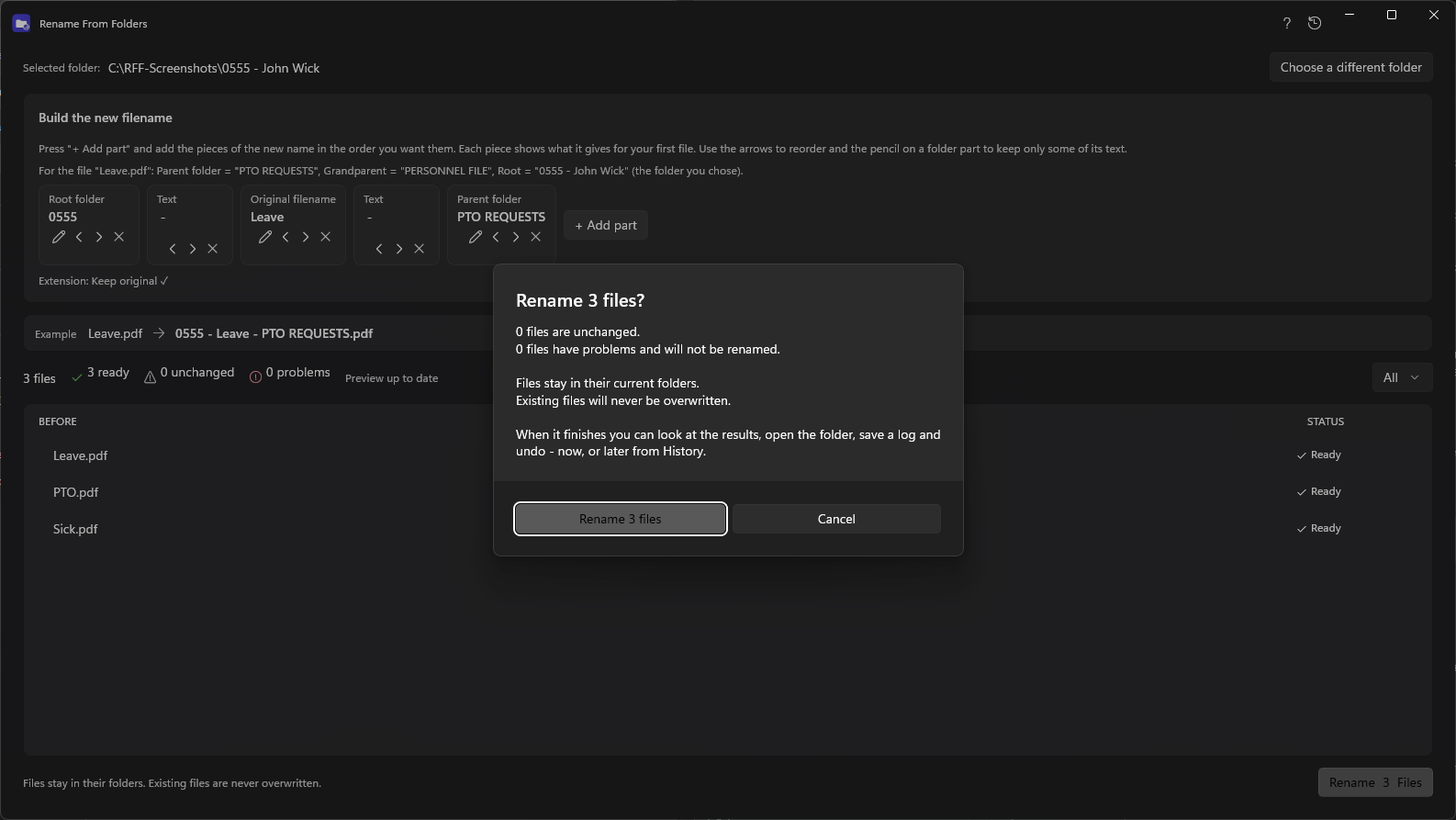
See it before it happens
The preview lists every file with its new name. Names that are already taken, that two files would share, or that Windows does not allow are flagged and skipped. Nothing changes until you confirm.
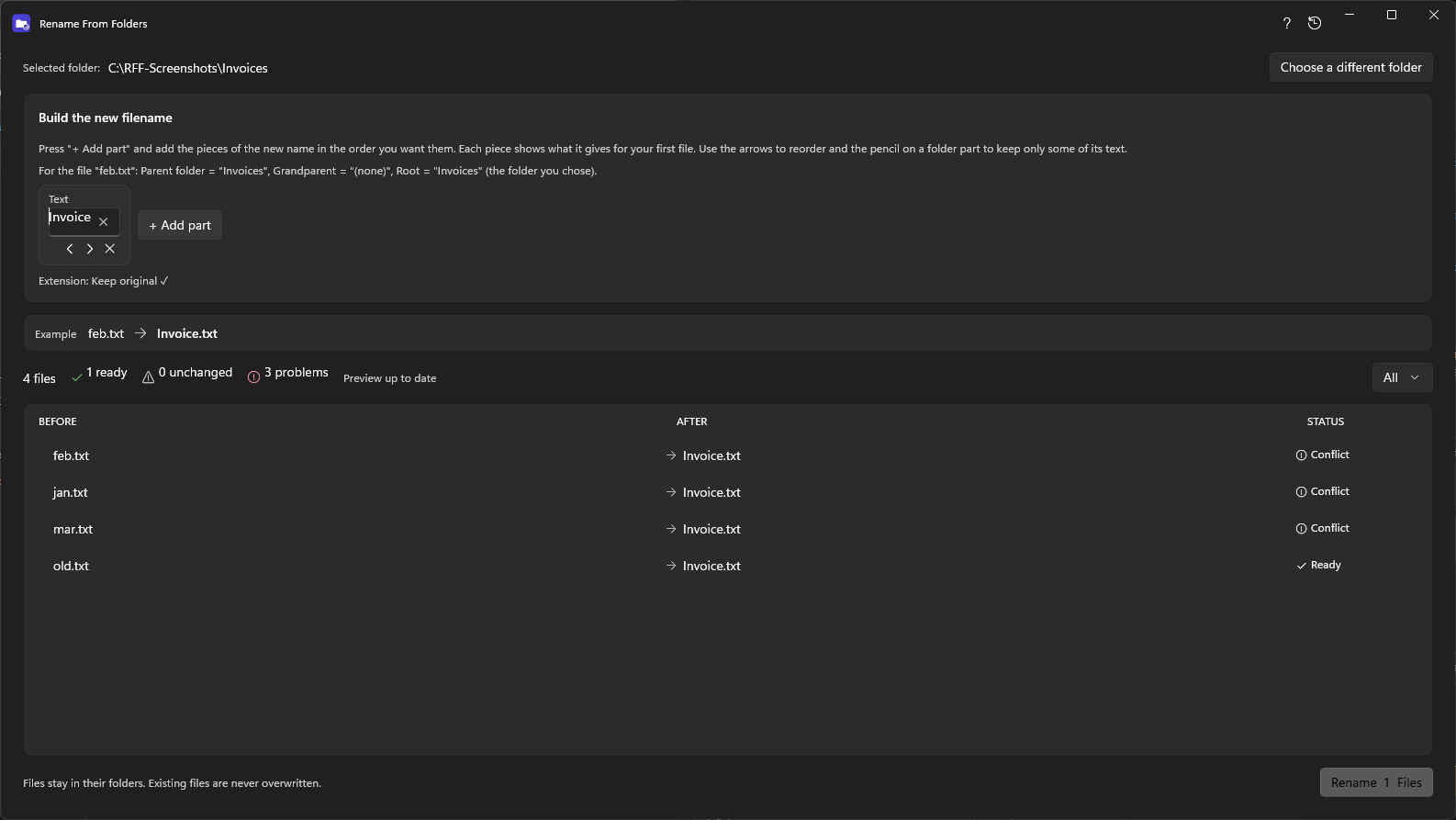
Existing files are never overwritten
If a target name exists, the rename for that file is skipped and reported. Files are renamed in place and never moved to another folder.
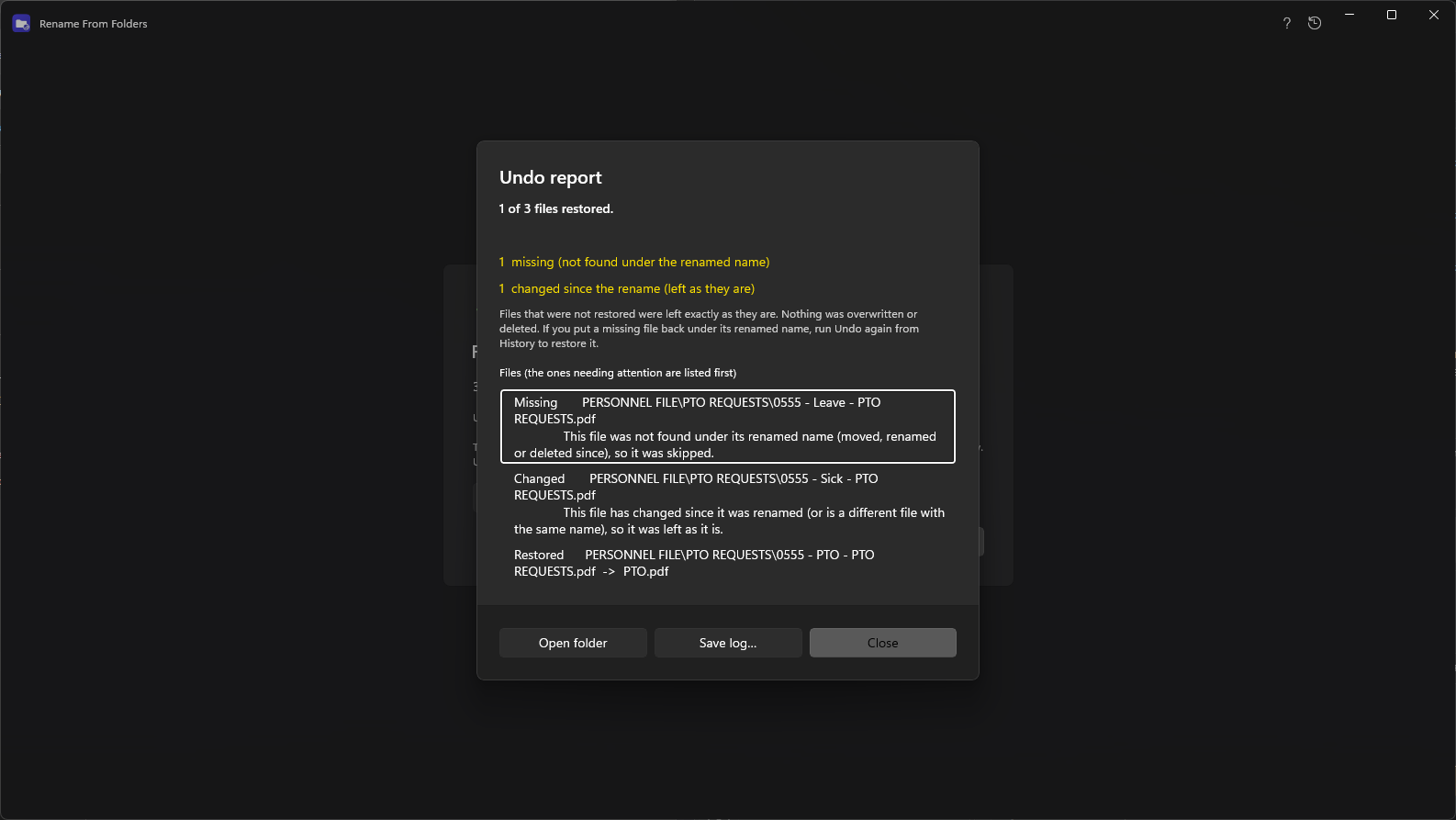
Undo that checks each file first
Before a file is put back, RenameFromFolders confirms the file under the new name is still the one it renamed. A file that is missing, has changed since, or whose original name is now used by another file is left exactly as it is and listed in the report. The remaining files are restored.
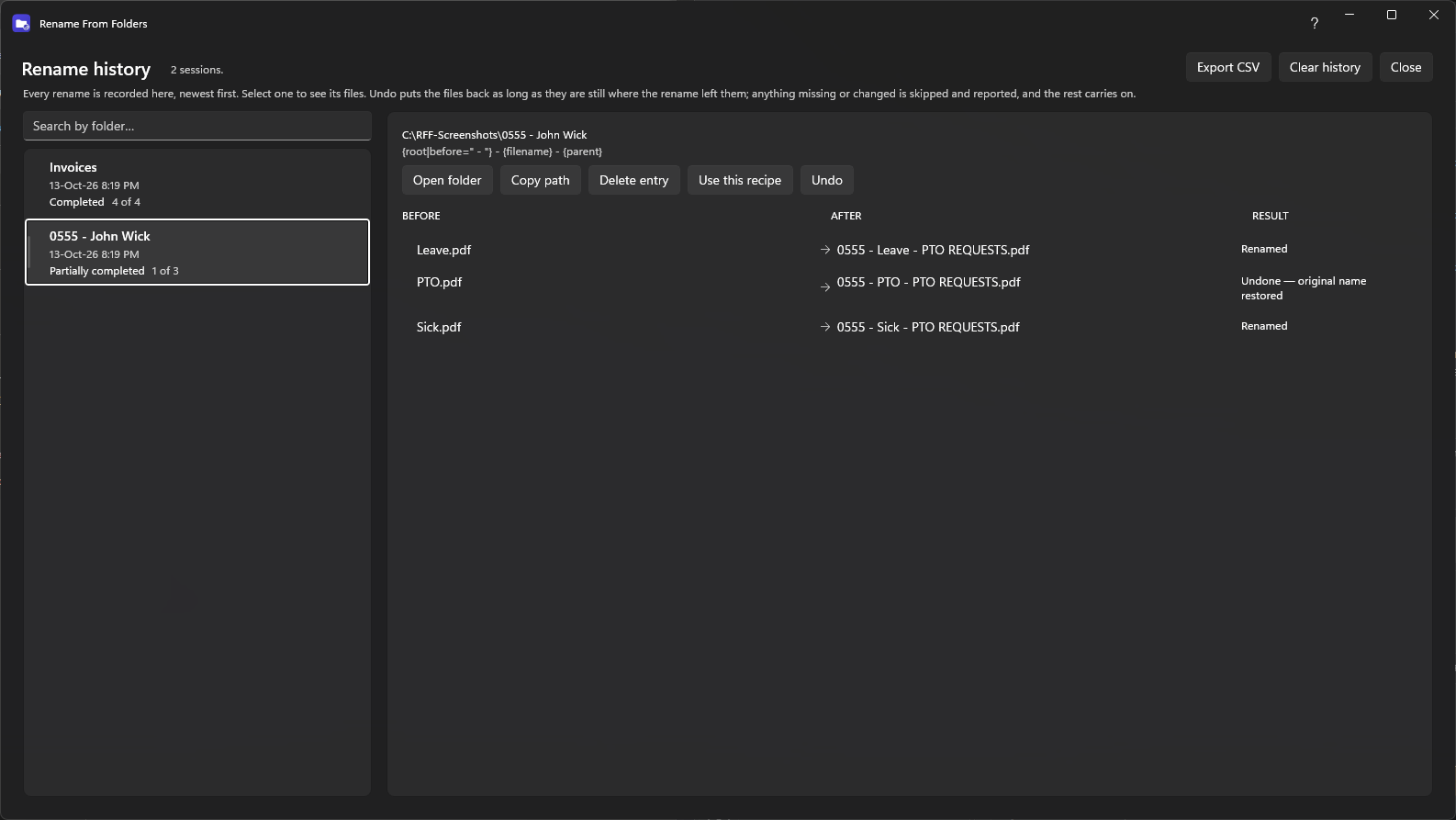
A history you can go back to
Every rename is recorded with its files, so you can undo it later, reuse its recipe, or delete the entry. Deleting an entry never touches your files.
If something is interrupted
Each rename is recorded step by step. If the app or PC stops half-way, the next start offers to put files back to their original names, and files that could not be restored are listed.
Stay in control
- Cancel safely between folders at any time.
- Open the folder and save a log (text or CSV) after renaming.
- Everything stays on your PC.
Rename with a safety net
Free to look at, safe to try: you see every change before anything is renamed, and you can undo it.