
Never overwrites
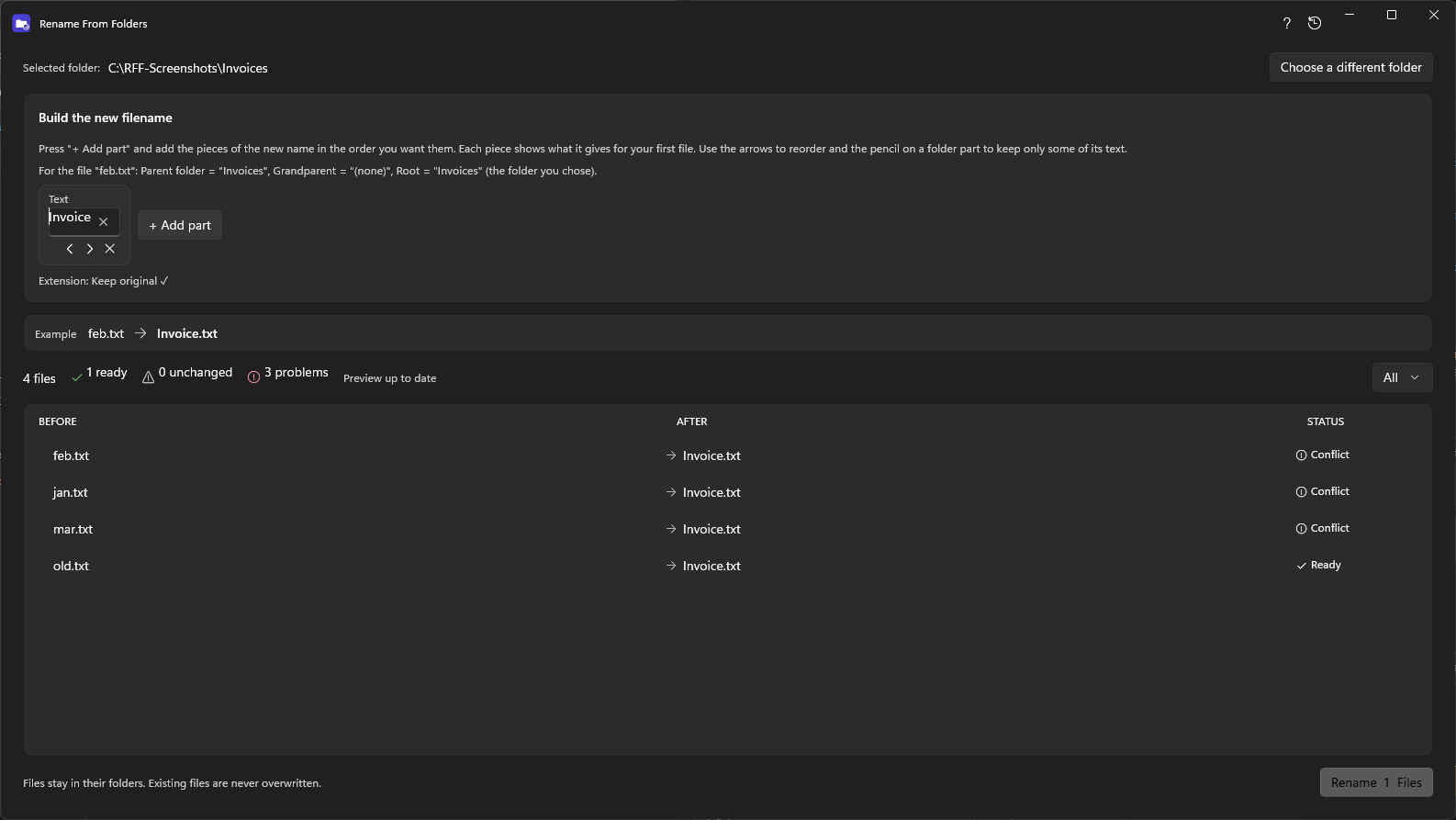
A new name that already exists is a conflict, shown and skipped.
Everything RenameFromFolders does, built around one idea: the folder structure already names your files.
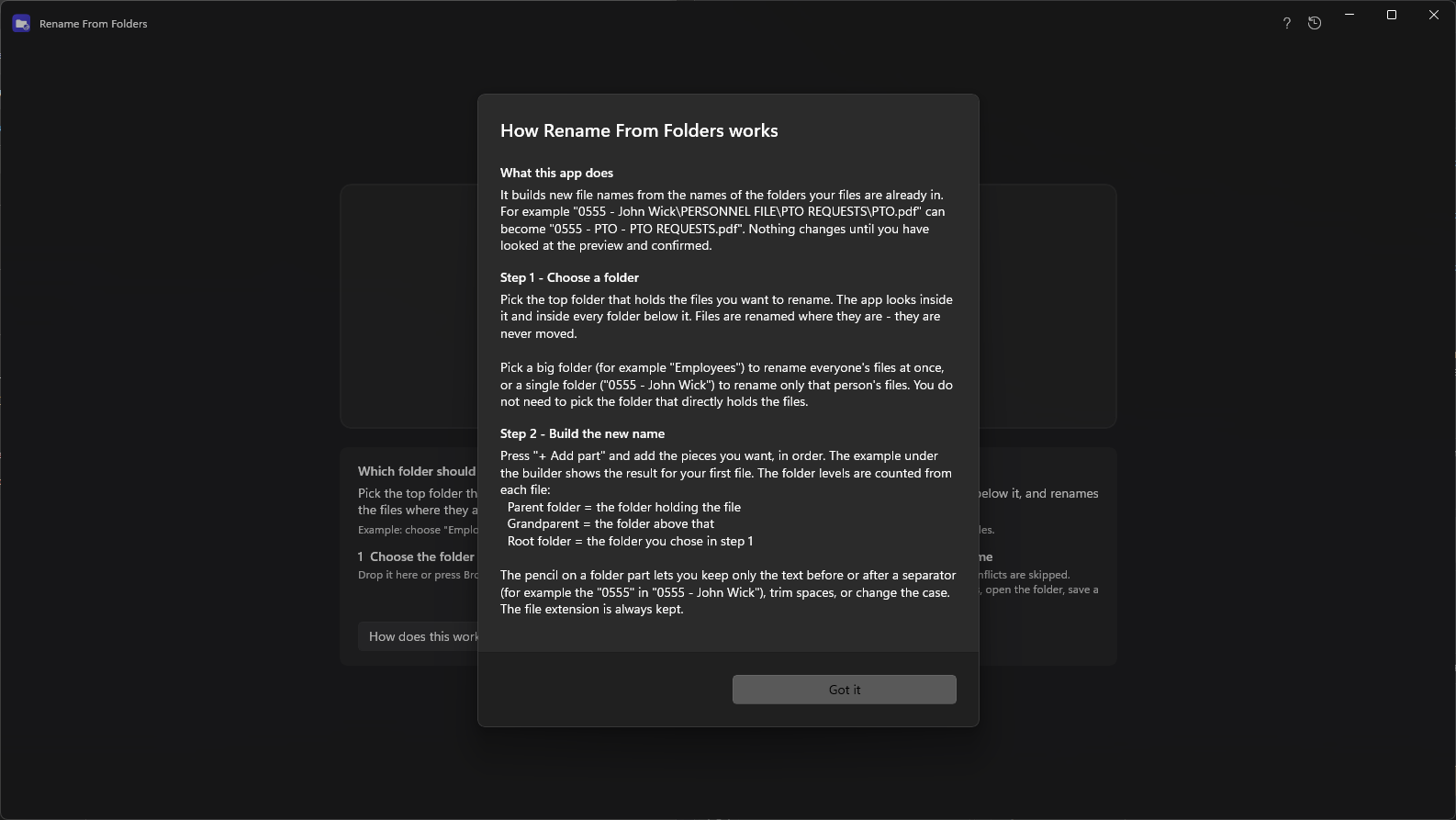
Add the folder that holds each file, the folder above it, or any level up to five, as part of the new file name. Choose the top folder once and every file below it is handled.
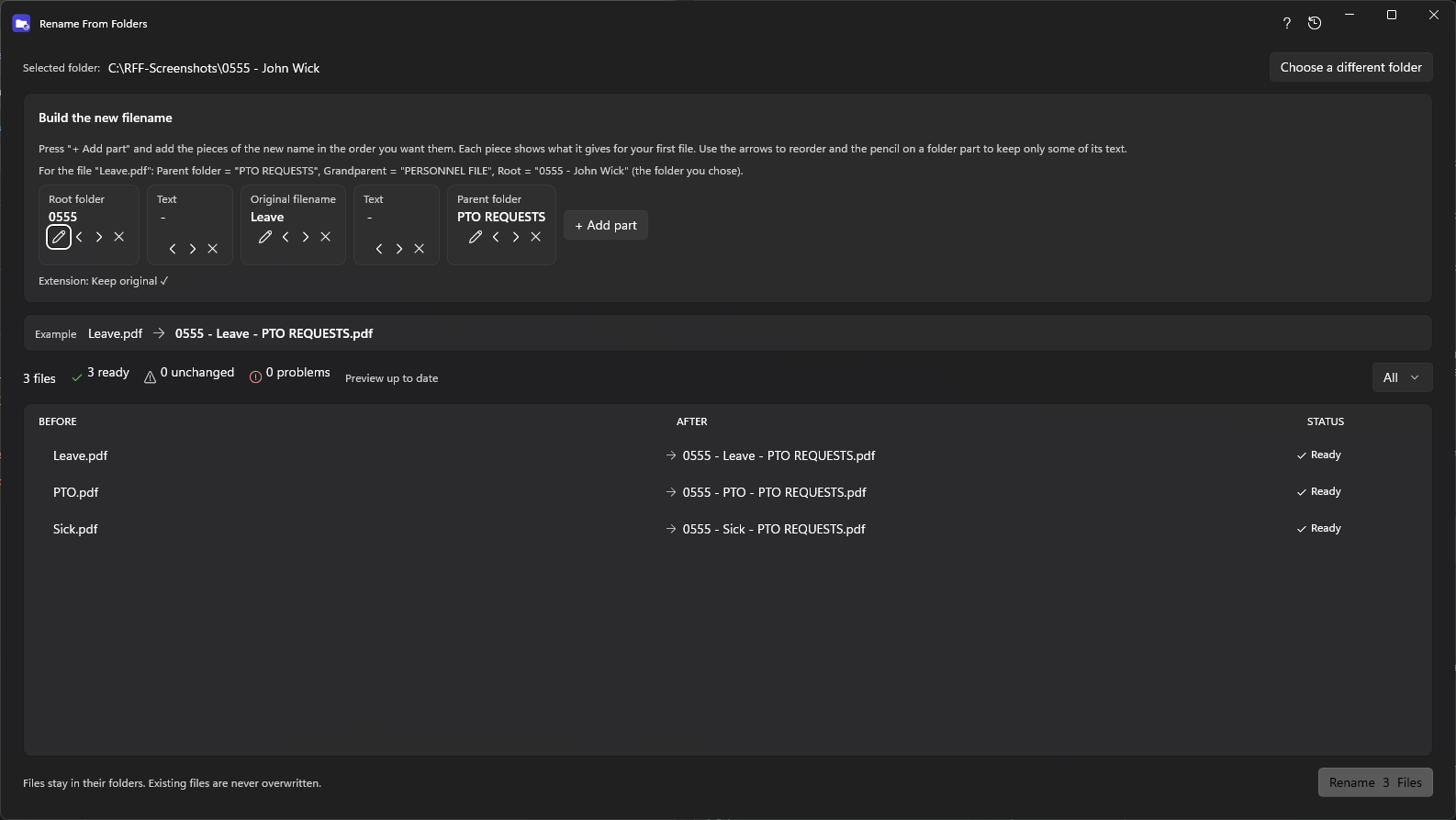
Folder names often carry more than you need. Keep the text before or after a separator, trim spaces, or switch to upper or lower case, then see the result live.
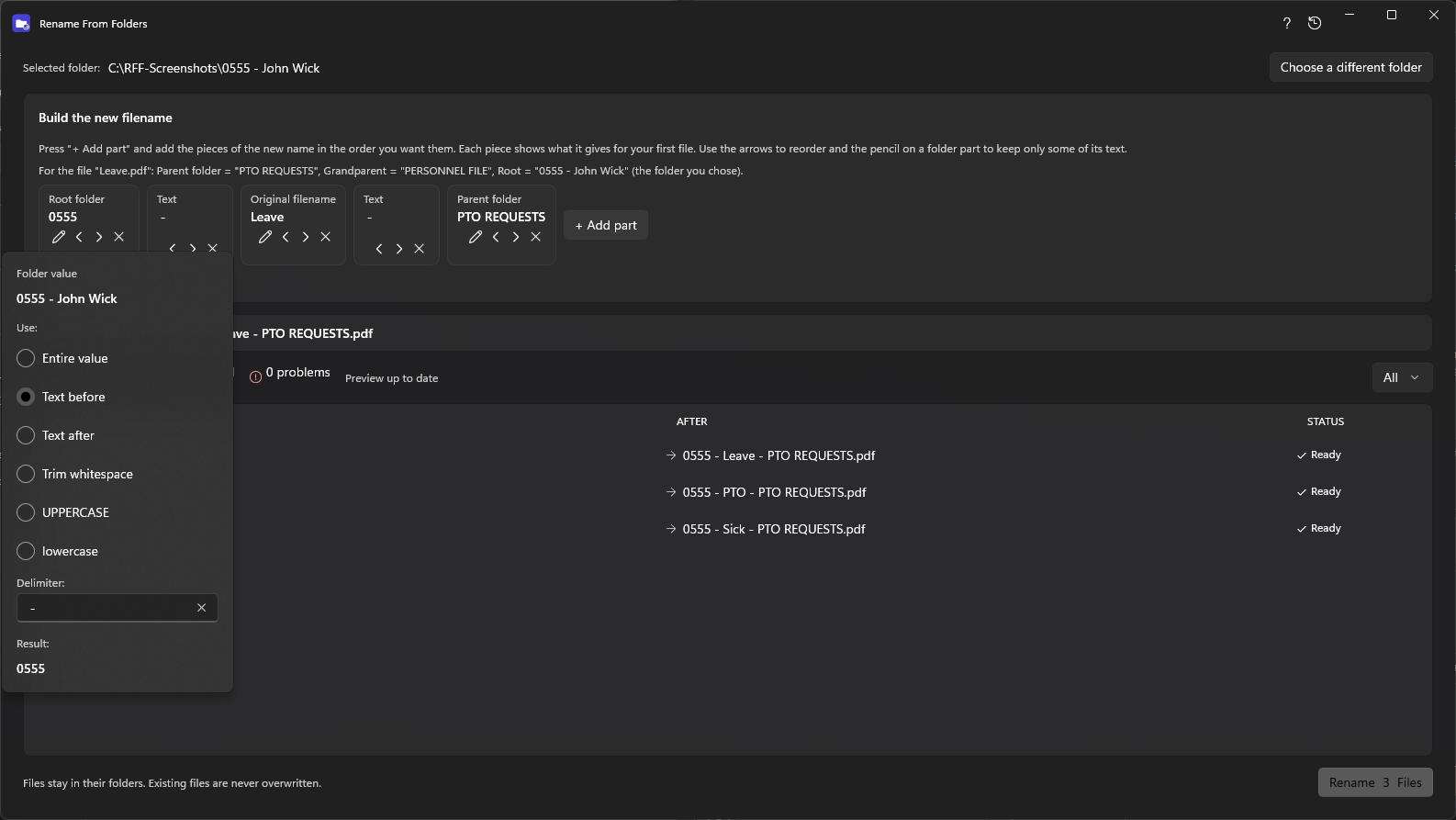
Combine folder names with the created or modified date, a counter with a start number and digits (001, 002…), and any fixed text such as “ - ”. The file extension is always kept.
The preview lists each file’s before and after name with a status: ready, unchanged, conflict or invalid. Nothing changes until you confirm.
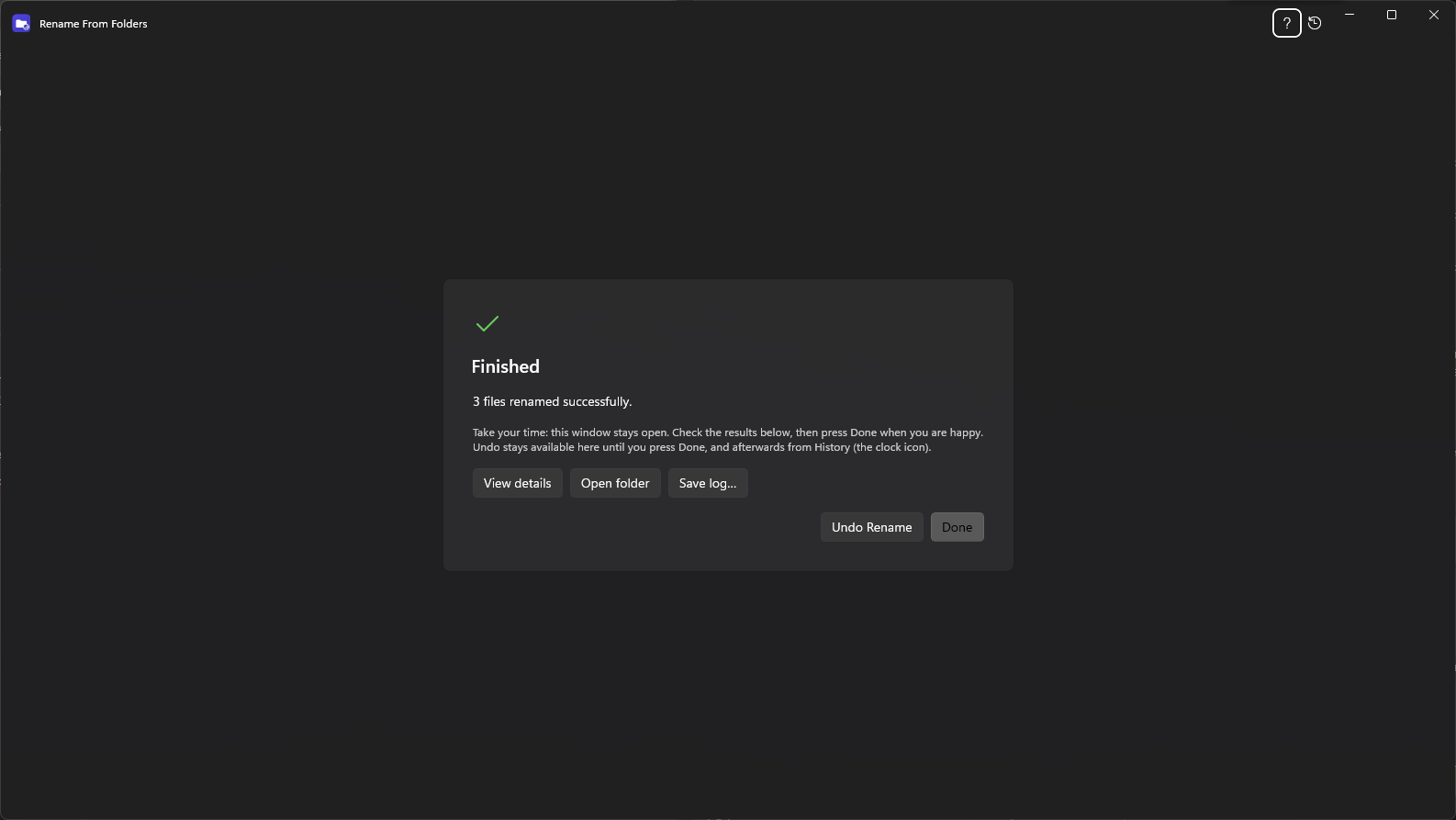
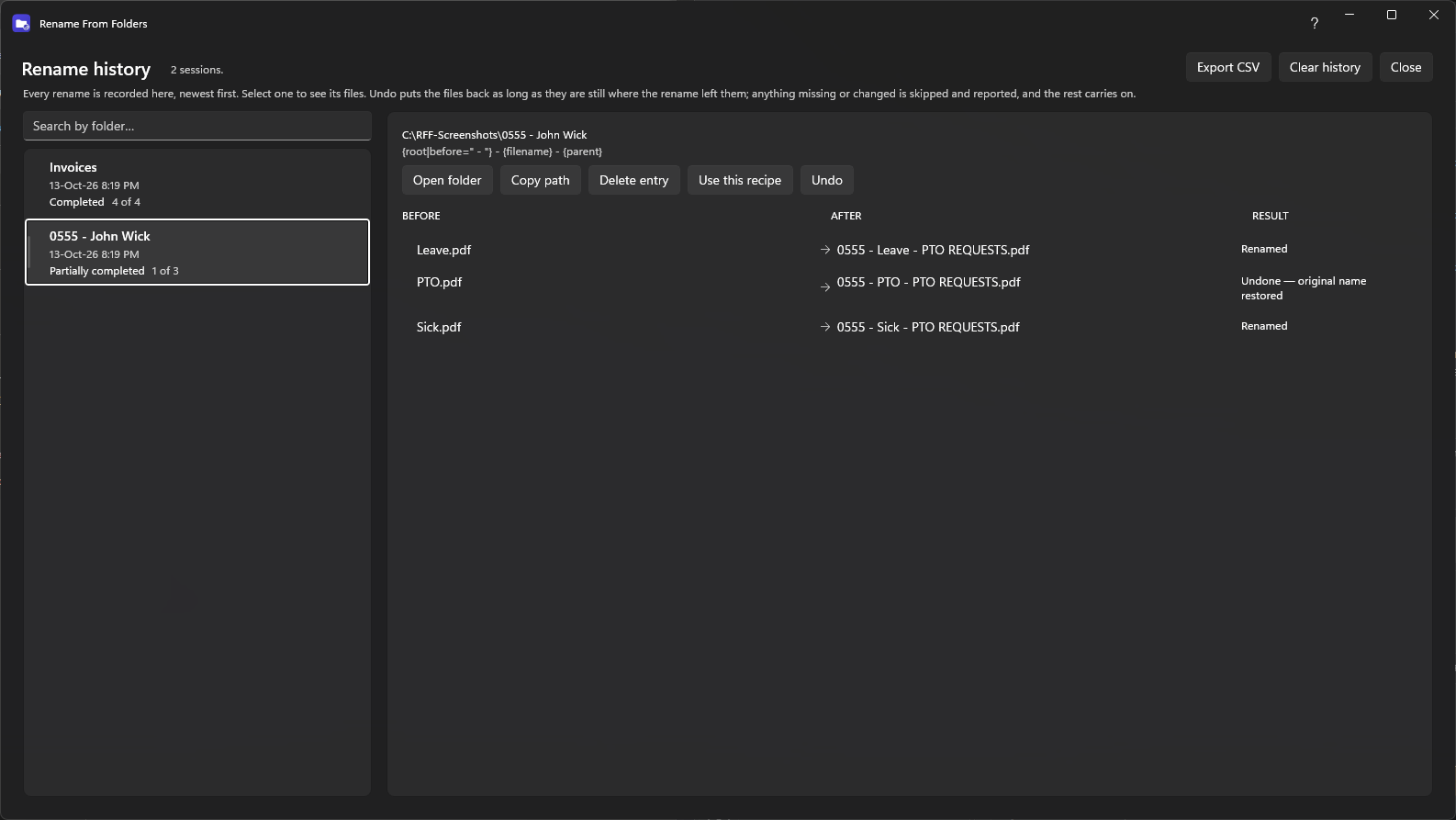
After renaming, view details for every file, open the folder in File Explorer, save a log as text or CSV, or undo. History keeps a record so you can undo later.
Search past renames, reuse a naming recipe on another folder, export a summary to CSV, or delete entries you no longer need.
A new name that already exists is a conflict, shown and skipped.
Every step is journaled, so an interrupted rename can be put back next time the app starts.
Stop between folders without leaving a folder half-renamed.
The preview was benchmarked with 300,000 files and shows only what is on screen.
No network access, accounts or tracking. History stays on your PC.
A native Windows app for 64-bit PCs, from the Microsoft Store.
Free to look at, safe to try: you see every change before anything is renamed, and you can undo it.