 ClerkBrain
Find duplicate files — review first, delete never (it's the Recycle Bin)
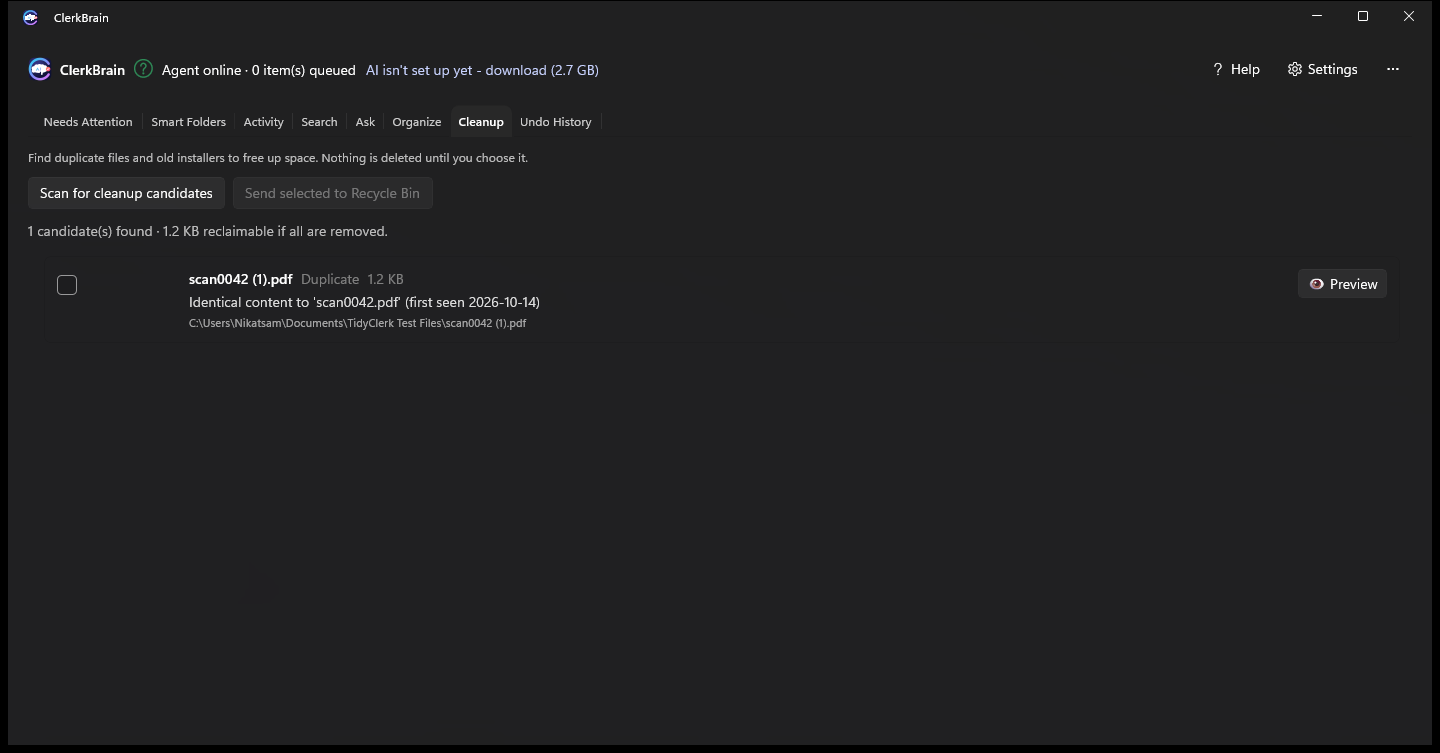
A quick scan finds exact duplicates and stale leftovers cluttering your folders. You choose what goes. Everything is sent to the Recycle Bin, never permanently deleted, so a mis-click is never the end of the world.
Safe by default, not just by promise
Every match is shown with a preview before you decide. Selected files go to the Windows Recycle Bin exactly as if you'd deleted them yourself in File Explorer — restore them the same way, any time, with no special undo step needed.
Exact matches only
ClerkBrain flags verified duplicates, not vague "similar" guesses — so you're never deciding based on an uncertain match.
Recycle Bin, not gone forever
Nothing is permanently deleted by ClerkBrain. Every removal lands in the Recycle Bin, exactly like a normal Windows delete.
Pairs naturally with Organize
Clear duplicates first, then let Organize suggest names and folders for what's left — without duplicate files competing for the same suggested name.
Common questions
How do I find and delete duplicate files on Windows without losing anything important?
ClerkBrain scans your chosen folders for exact duplicate files, shows you each match so you can preview it, and only sends files you select to the Windows Recycle Bin — never a permanent delete. If you change your mind, restore from the Recycle Bin as normal.
What counts as a duplicate file in ClerkBrain?
An exact content match — the same file saved or downloaded more than once, even under a different name. ClerkBrain does not guess at "similar" files; it only flags duplicates it can verify are identical.
Is it safe to clean up my Downloads folder with an automated tool?
ClerkBrain never deletes anything automatically. You see every candidate before deciding, and removals go to the Recycle Bin rather than being permanently deleted, so mistakes are always recoverable.
Clear out the clutter in your own Downloads folder
Free on the Microsoft Store.
⊞ Coming soon to the Microsoft Store