
Your documents, read and
double-checked by AI — on your PC
ClerkBrain reads every invoice, receipt and document in your Downloads folder, works out the supplier, date and total, answers plain-language questions about them, and suggests clearer names and folders. The AI runs entirely on your device — your files are never uploaded anywhere.
Free · No account · No ads · Works offline once the optional AI models are downloaded
Why it's different
Most "file organizers" only look at the file name.
ClerkBrain actually reads the document.
That's the difference between a tool that sorts .pdf files into a PDF folder,
and one that knows a file is an electricity bill from March, due in two weeks.
Reads the content, not just the name
Local text extraction and OCR turn PDFs, scans and photos into text, so a blurry phone photo of a receipt is understood the same as a clean PDF invoice.
Double-checks itself
An on-device AI re-reads flagged documents and compares its answer to the rules-based extraction, so you know when a total or date needs a second look.
Never leaves your PC
No account, no cloud upload, no telemetry. The only network call is an optional, one-time, SHA-256-verified download of the AI models themselves.
What you can do
Four things people actually search for — solved
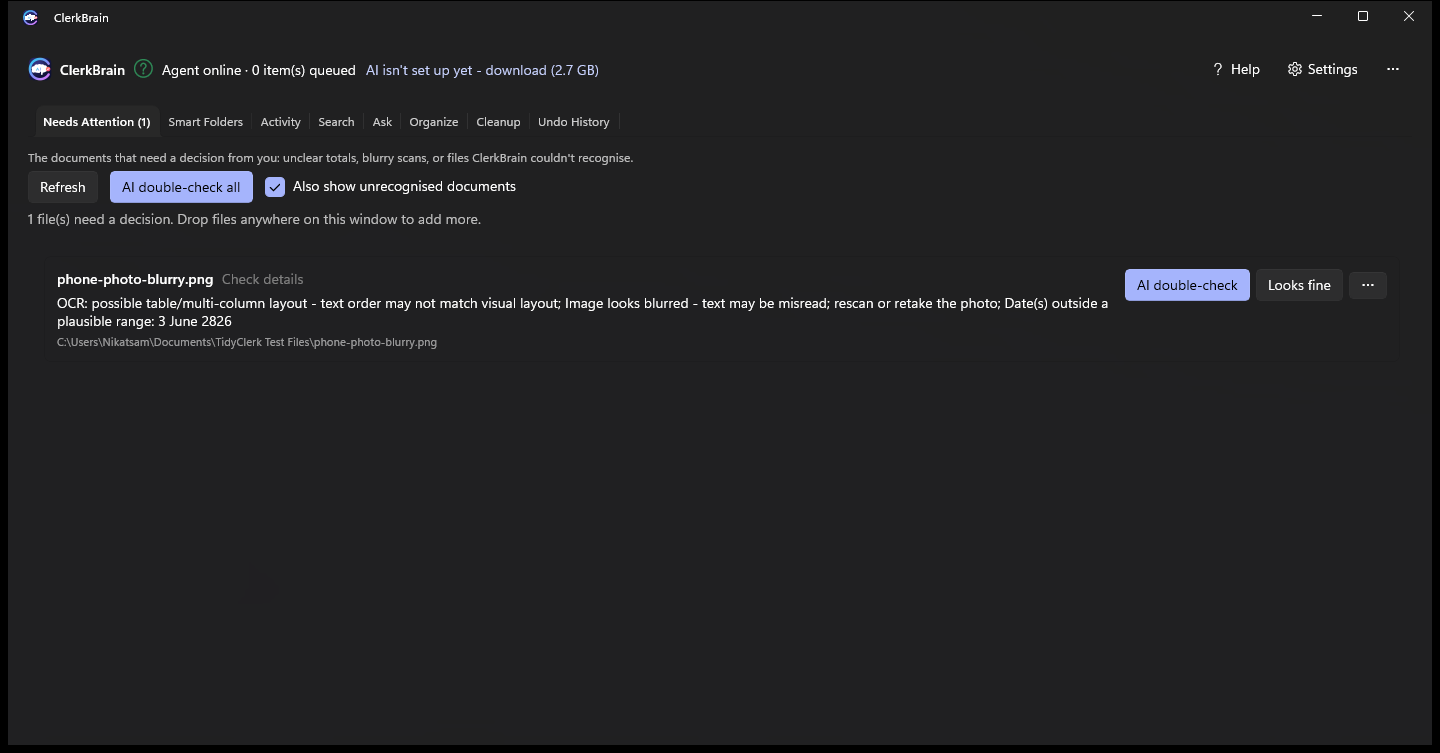
Only the documents that actually need you
Most files are read, classified and filed quietly in the background. The ones left for you are the ones with a real reason: a total that doesn't add up, a blurry scan, or a missing invoice number — each explained in plain English, not an error code.
- AI double-check compares its own reading against the rules-based one
- "Fill in" a corrected value with one click — always reversible
- Nothing is ever silently wrong: unclear values are flagged, not guessed
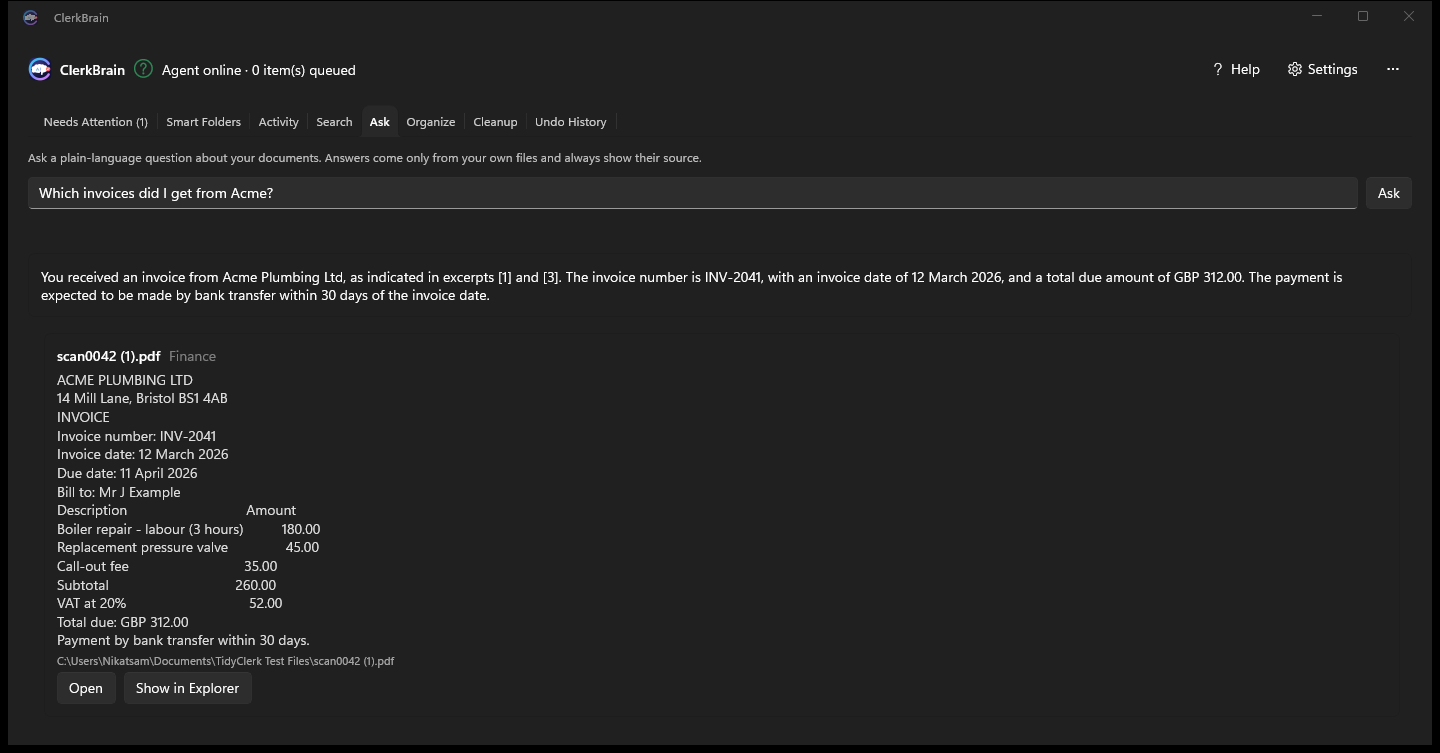
Ask a question, get a sourced answer
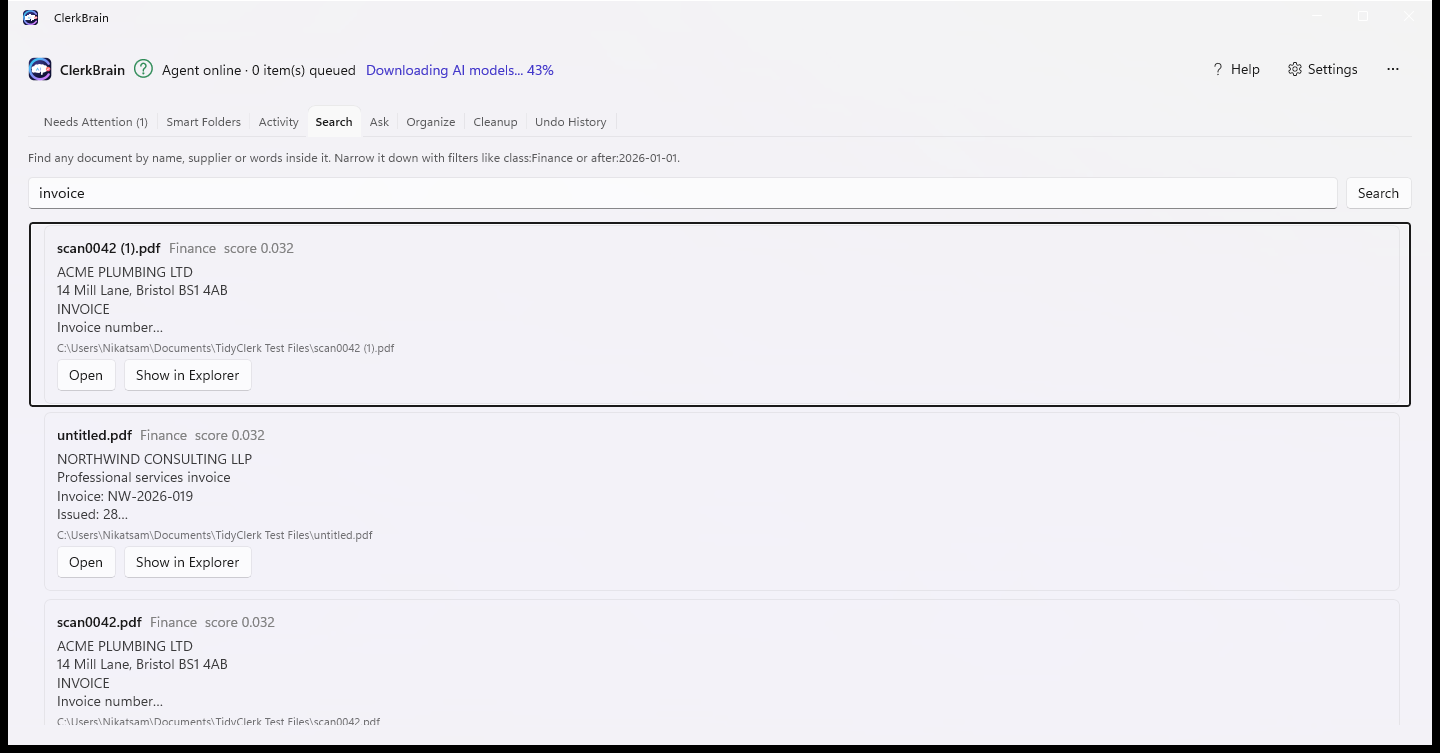
"How much was my last electricity bill?" "Which invoices did I get from Acme?" Type it in plain language and the on-device AI searches your documents by meaning (not just matching words) and answers with the exact source file shown underneath.
- Answers always cite the document they came from — nothing is invented
- Finds files by what they mean, not only the words they contain
- Runs locally once the search/answer models are downloaded (your choice, optional)
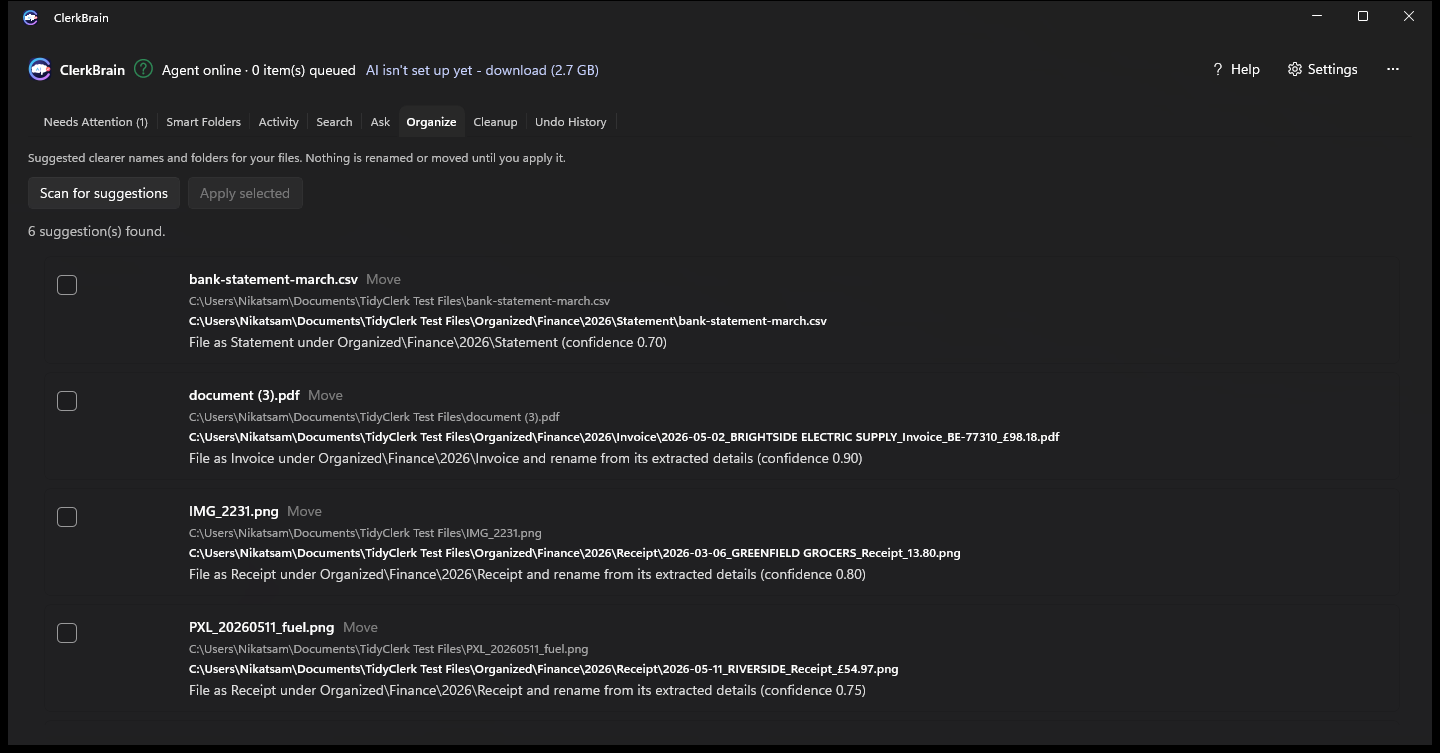
Clear names and tidy folders — only when you say so
A folder full of scan0042.pdf and IMG_2231.png becomes
2026-03-12_Acme Plumbing_Invoice_INV-2041_£312.00.pdf, filed under
Organized\Finance\2026\Invoice\. Nothing moves until you tick it and apply — and every
change shows up in Undo History, reversible any time.
- Suggestions only — review before anything renames or moves
- Every applied change is logged and can be undone
- Duplicate files are cleaned up first, so suggestions don't collide
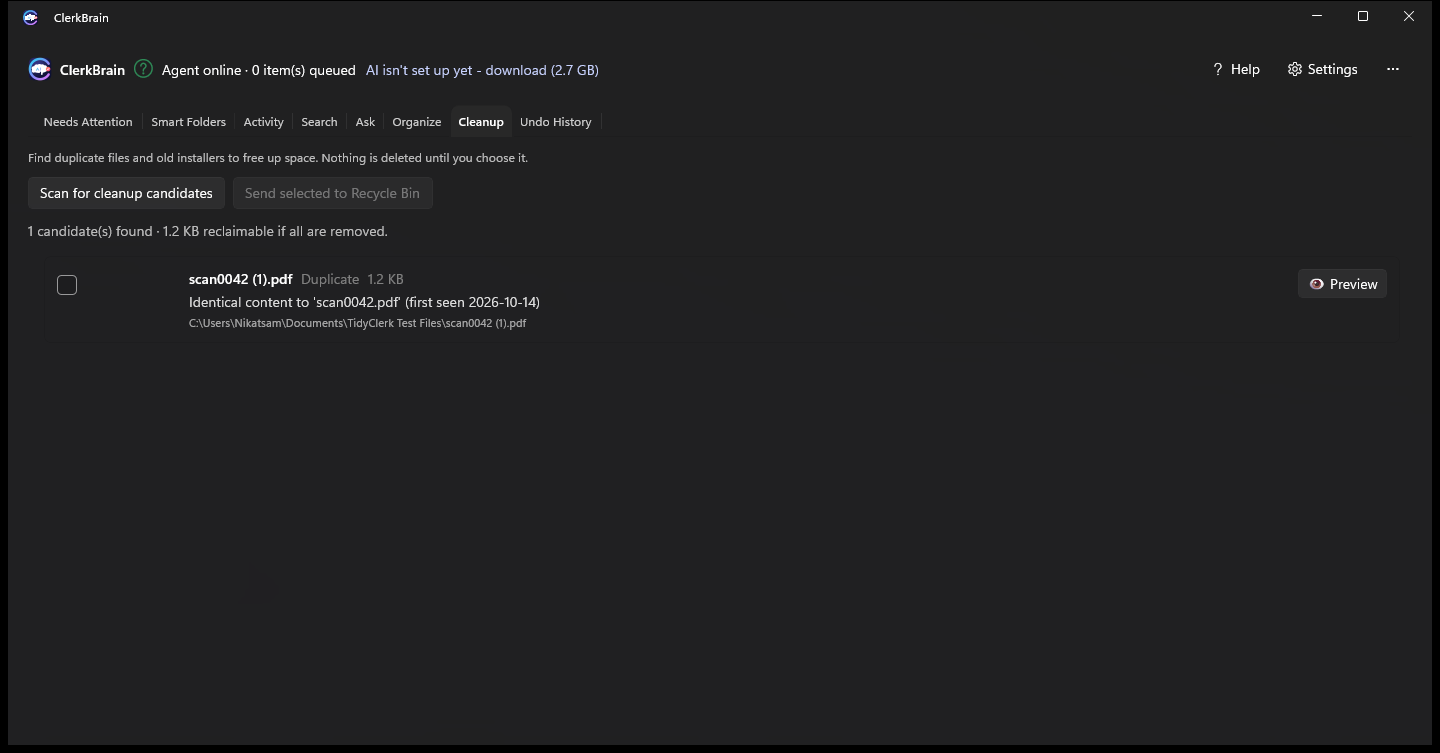
Find duplicate files and old installers safely
A quick scan finds exact duplicates and stale leftovers cluttering your folders. You choose what goes — everything is sent to the Recycle Bin, never deleted outright, so a mis-click is never permanent.
- Preview any candidate before deciding
- Recycle Bin, not permanent delete — always restorable
- Pairs with Organize once duplicates are cleared
For freelancers & small business
Build your accountant pack in one click
Export every receipt and invoice for a tax year as a single zip, with a summary spreadsheet — without ever uploading them to a third-party accounting service.
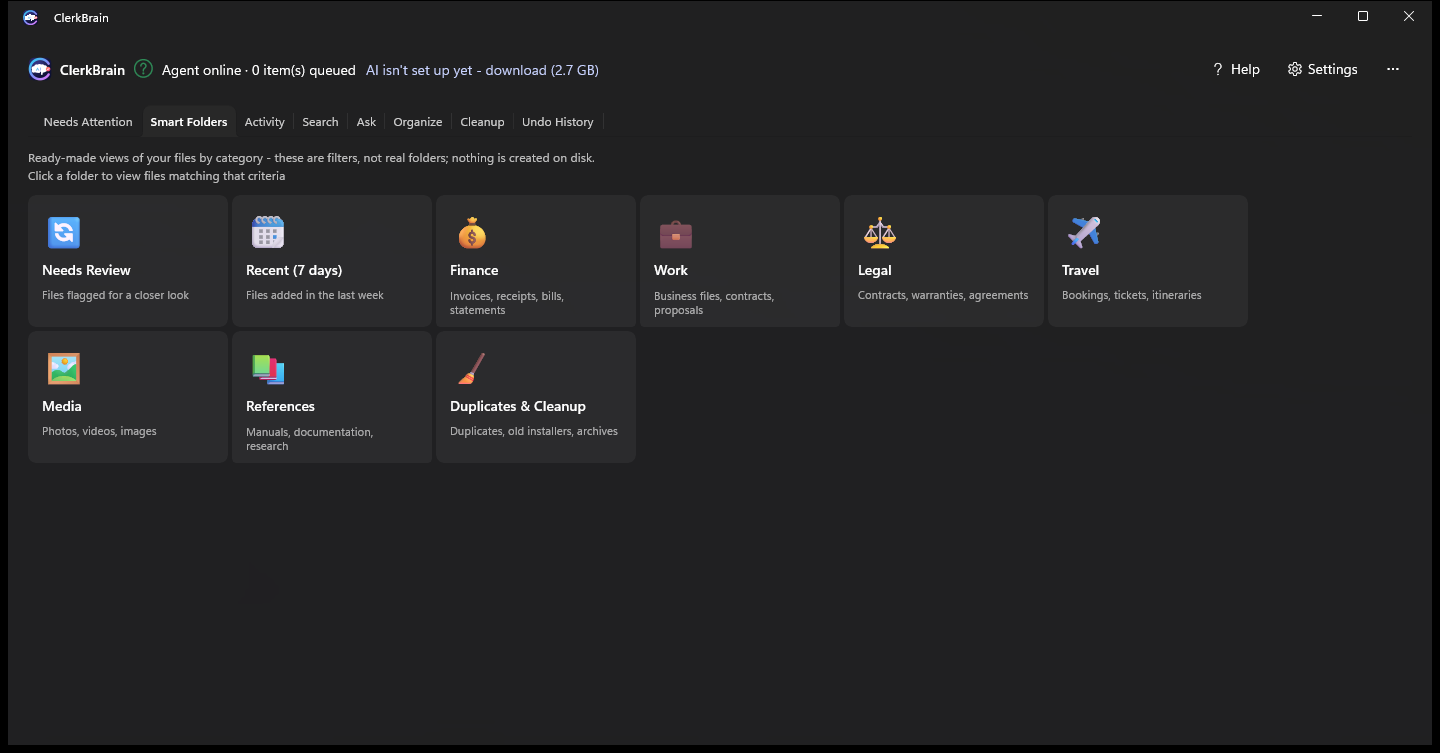
Light or dark
Looks right at home either way
Try ClerkBrain on your own Downloads folder
Free on the Microsoft Store. No account, no ads, no catch.
⊞ Coming soon to the Microsoft Store